Make sure your store works for everyone.
An inclusive store reaches more customers and avoids the lawsuits that hit ~5,000 US businesses in 2025.
It’s on the public record what this costs.
5,000+
US web-accessibility lawsuits filed in 2025, most of them against small and mid-sized online stores.
UsableNet, 2025 year-end lawsuit report →$5k–$25k
a typical demand-letter settlement for a small store, before legal fees or remediation.
Accessible.org, ADA settlement analysis →51
the average number of accessibility errors found per page in 2025, most of them never properly checked.
WebAIM, The WebAIM Million 2025 →New since June 2025: if you ship to the EU, the European Accessibility Act applies to your store too.
From a wall of errors to a short to-do list.
Run it on a page you know. Fifteen seconds, and you get the list.
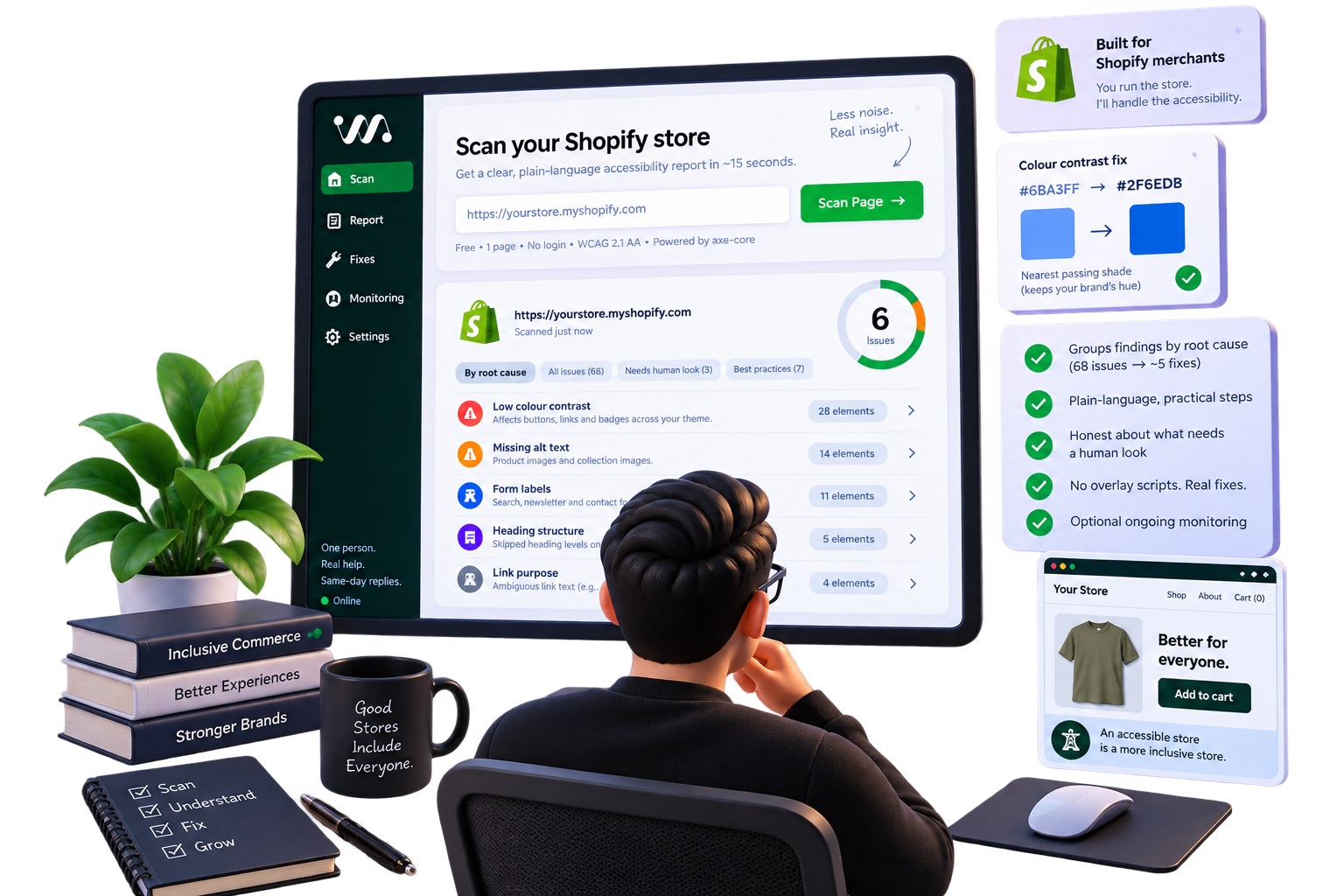
What one page flags
One page scan
68
elements flagged
68 elements, before grouping
Same issues.
Fewer changes.
What you actually change
68 flags. 5 changes.
- Colour contrastOne faint grey, set as the body text colour across the theme.41 flags
- Header icon linksIcons that announce no text (e.g. search, account, menu).9 flags
- Cart and quick-add controlsIcon-only controls that need accessible labels.6 flags
- Product-gallery imagesImages with no alt text.5 flags
- Carousel ARIA rolesA carousel carrying ARIA roles it is not allowed.7 flags
Why WCAally?
Grouped by root cause
One colour value flagged on 57 elements is one edit, not 57 problems. You see the change and the templates it touches.
Contrast solved exactly
For a contrast failure the report returns the nearest colour that passes and keeps your hue, with the measured ratio.
Limits stated plainly
A machine can check that a button has a label. It cannot check that the label makes sense. That part is mine, and the report says so.
How it goes
01
Scan a page
Name, email, a URL. About fifteen seconds later you have a grouped report you can read without a developer next to you.
02
Read the real list
Every issue sorted by impact, in plain language, each with the size of the fix stated up front.
03
Pick one
Ship the fixes yourself, or let me take the whole store off your plate.
90+
accessibility checks run on the page
15s
from a URL to a grouped report
0
overlay scripts added to your store
Questions worth asking.
Yes, and there is no card. You give a name, an email and one URL. A few scans a day from the same address, so the queue stays open for everyone. Nothing is charged and nothing is emailed unless you ask.
The mechanical failures: missing labels, unreadable colour contrast, images without alt text, invalid ARIA, broken heading order, keyboard traps in markup. A real and useful subset of WCAG, and where most Shopify themes fail. It is not all of WCAG.
Anything that needs judgement. Whether your checkout is genuinely completable with a keyboard and a screen reader. Whether your alt text describes the right thing. Those are the parts I check by hand.
No tool can promise that, and the vendors who did have been sued for it. What you get is an honest count of the mechanical problems and the exact theme changes that resolve them.
Never. Overlays sit on top of a broken page and try to patch it in the browser, which is why they are the subject of most accessibility lawsuits. Fixes here are real edits to your theme code, and they stay fixed.
One page is a sample. Your store is the job.
Every page carries its own issues. Let me scan your whole store and fix it — free for the first 5 stores, in exchange for a short testimonial.
Get in touch